Mend two family trees into one — safely, on your own machine.
Merging GEDCOM files is one of the fastest ways to corrupt a family tree. GedMend compares two trees on your own computer, finds the people they share, and walks you through every duplicate and conflicting fact — then merges only what you confirm into one clean file. Not just a report of what differs, and not two trees stuffed into one. Your genealogy data never leaves your machine.
Free to load, review and resolve. Export is a one-time purchase. Nothing expires.

A bad merge can quietly wreck years of research.
When you bring in a GEDCOM from a relative or an online export, a merge that runs in a single click can do real, hard-to-undo damage. The usual culprits:
- !Silent duplicates — “John Smith” and “Jno. Smith” become two people, or get wrongly fused.
- !Facts overwritten — a conflicting birth year replaces yours with no warning.
- !Lost source citations — many tools quietly strip the evidence behind your facts.
- !Broken family links — orphaned or mis-pointed parent/child connections.
- !Encoding garble — accented names mangled when UTF-8 and ANSEL/Windows-1252 collide.
- !No undo — the merge happens inside your master file, and it’s done.
The expert advice is simple: analyse first, merge second. GedMend is that advice turned into software.
Six guided steps. You stay in control the whole way.
GedMend is a separate step outside your main program: export your master tree as a GEDCOM, reconcile it against the incoming file here, then import the approved result — your program’s own merge is never used. It reads both files, shows you everything, and writes a brand-new merged file only once you confirm.
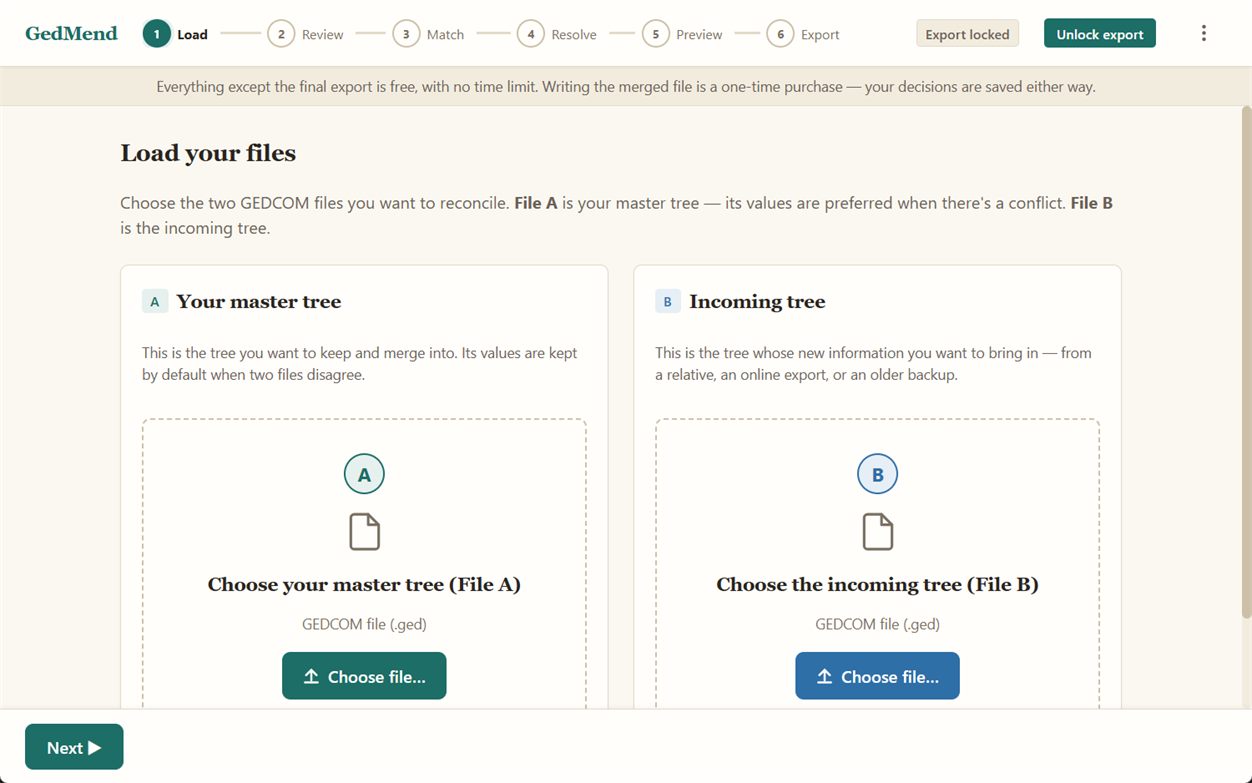
Load both files
Pick your master tree (File A) and the incoming tree (File B). Both are opened read-only — your originals are never modified.
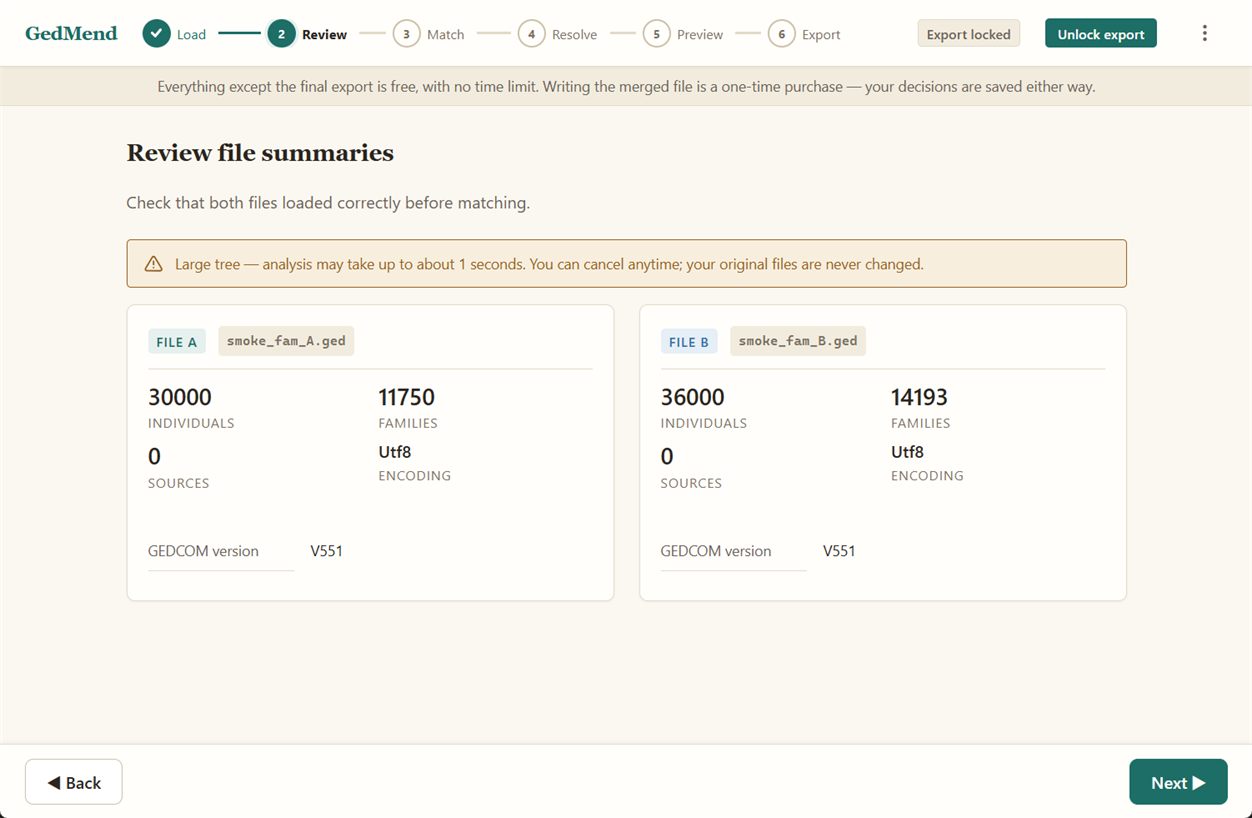
Review the summaries
See record counts and the GEDCOM version for each file — and get an upfront warning when the two files use different text encodings, before anything is matched.
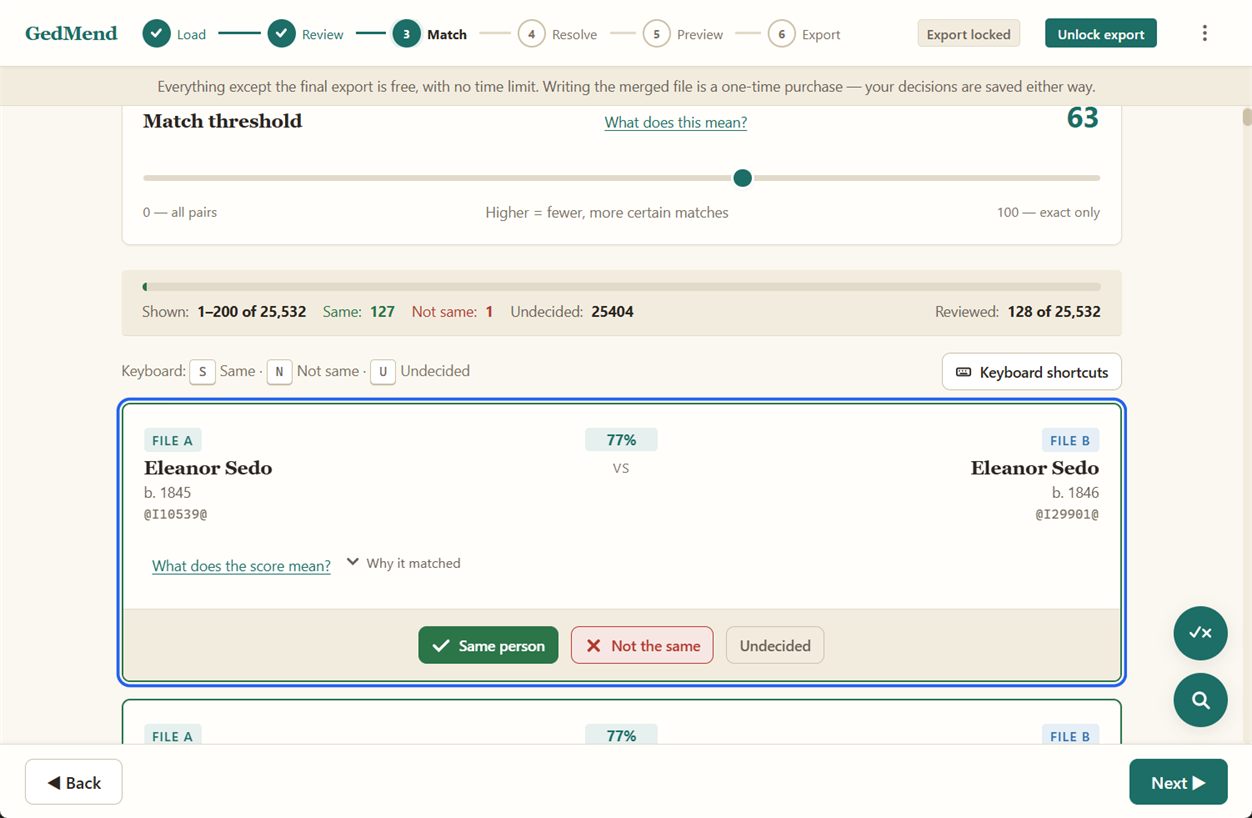
Confirm who’s the same person
GedMend proposes likely same-person pairs using name variants, dates and places — with a strictness threshold you control. Every match shows why it matched. No AI, no guessing.
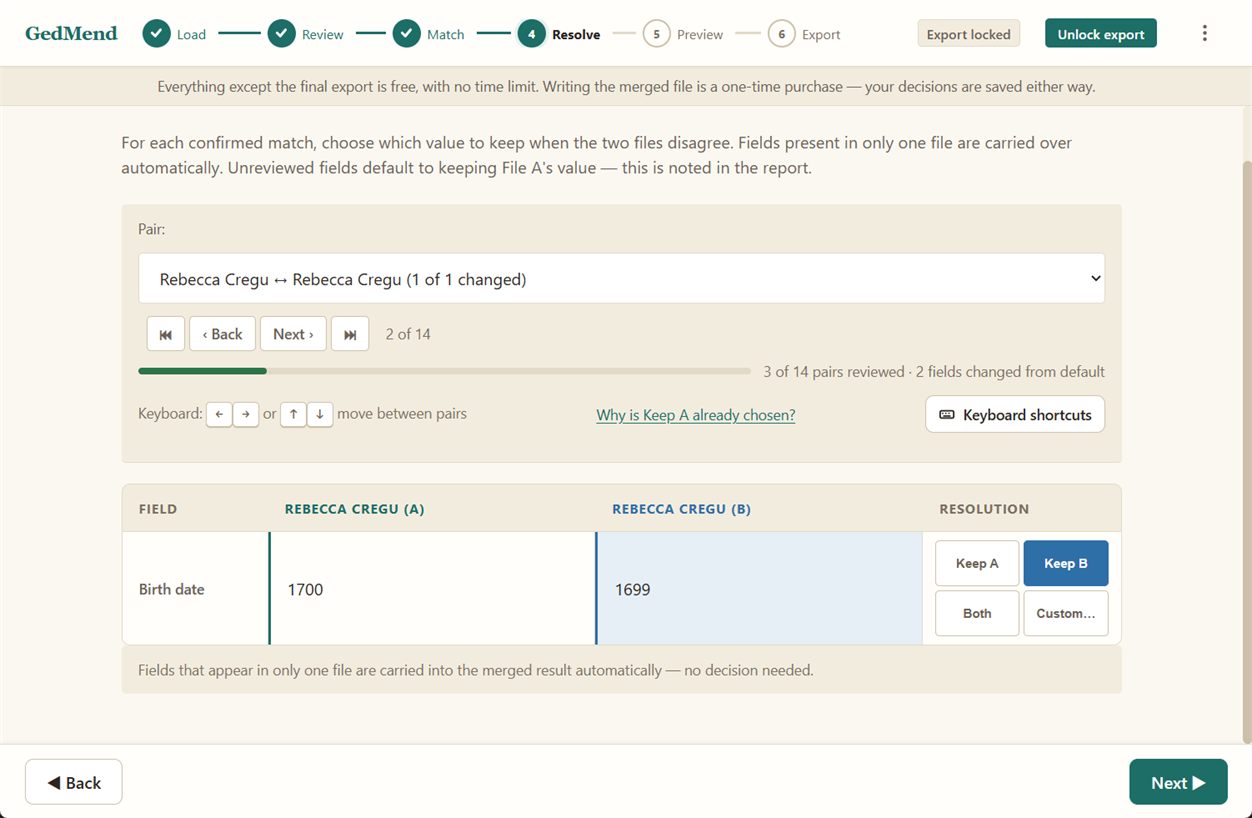
Resolve conflicts side by side
Where the two files disagree on a fact, choose what to keep: your value, theirs, or both. Nothing is ever overwritten silently — and fields that exist in only one file carry over automatically.
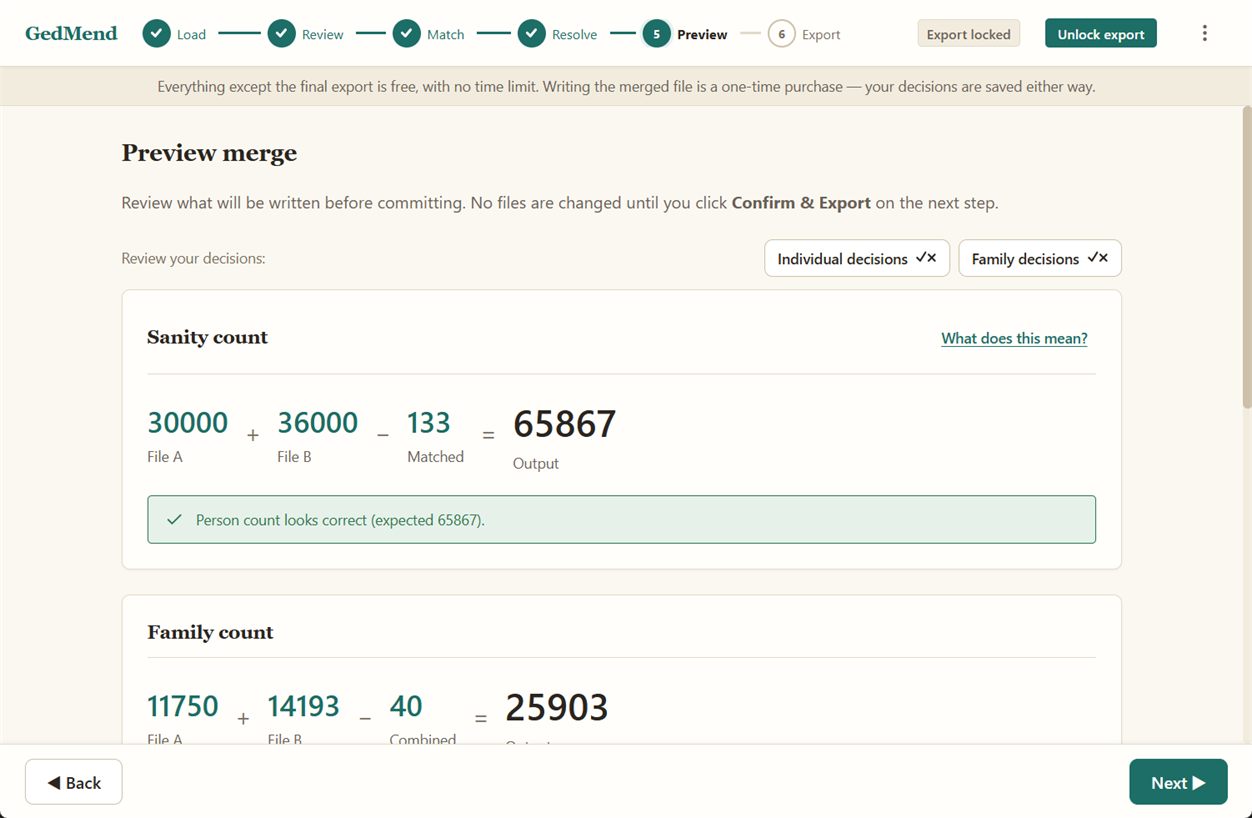
Preview before anything is written
A plain-English sanity count confirms the math (people in, people merged, people out) and shows exactly what the merged file will contain. If you left a real duplicate unconfirmed, some duplicates may have survived into the output — the preview names them, so you can go back. Still nothing changed on disk.
Export a clean new GEDCOM file
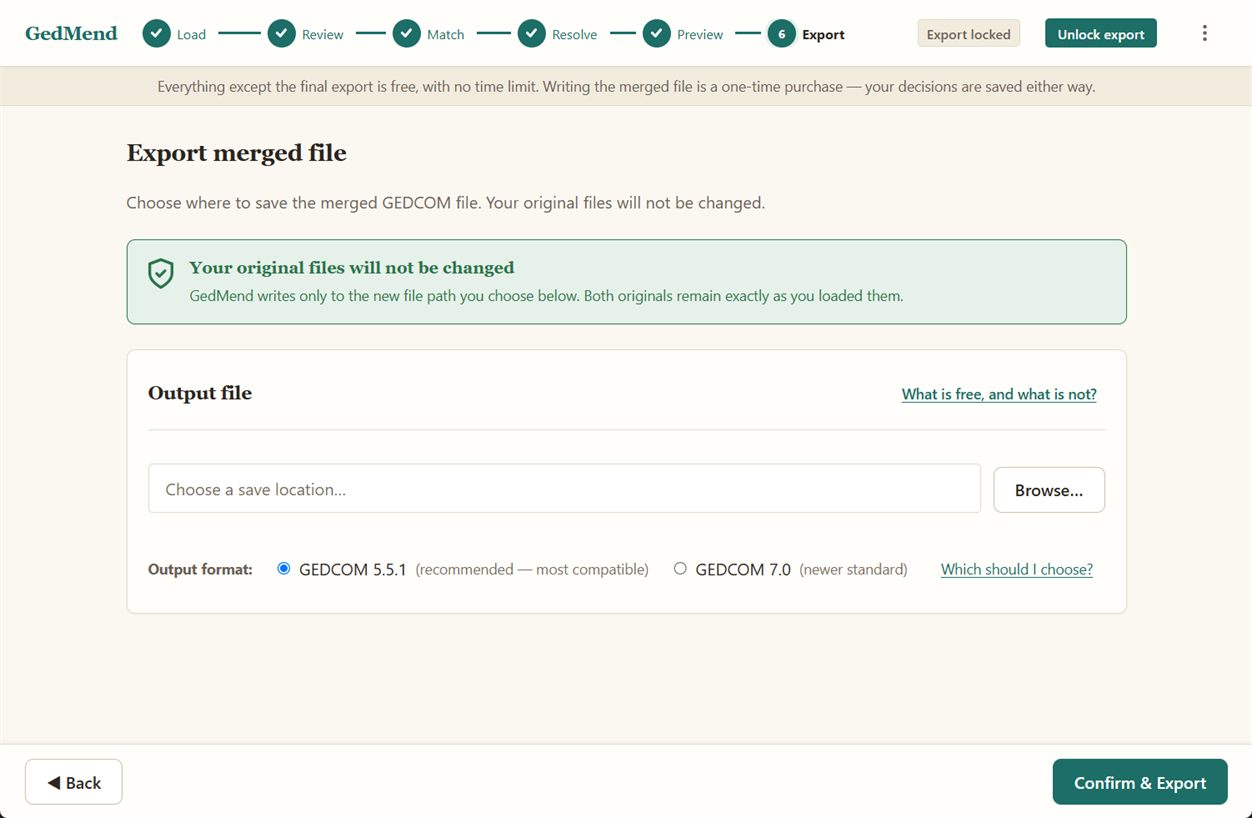
GedMend writes the merged result to a new file you choose — your two originals stay exactly as they were. Export as GEDCOM 5.5.1 (most compatible) or 7.0. The 7.0 option updates the file's header for 7.0 but leaves the records in their original form. A full 7.0 conversion is not yet available. A change report is saved listing every match, field decision, and citation merged, in both HTML and plain-text.
Built to protect the work you can’t replace.
Catches silent duplicates
Spots “John” vs “Jno.” and other near-matches instead of fusing or splitting them by accident. Catches duplicate families, not just people — you confirm each merge.
Never overwrites silently
Every conflicting fact is shown side by side for you to decide. Nothing changes behind your back.
Preserves every citation
Every source citation is preserved — kept and merged, never stripped, with duplicates collapsed cleanly.
Encoding-aware
Handles UTF-8, UTF-16, ANSEL and Windows-1252, and flags mismatches so accented names stay intact.
Confirm before merge
A sanity count and full preview stand between you and any change. No files are changed until you click Confirm & Export.
Originals never touched
Files open read-only; the merged result is always written to a new file you name.
Deterministic & explainable
Deterministic, explainable matching — no AI, and no randomness. Matching is rule-based, repeatable, and shows its reasoning.
Fully offline
GedMend contains no network code of ours — the app never calls out, and the whole merge runs offline. Your genealogy data never leaves your machine.
The whole merge, handled in one place.
Merging two family trees safely takes more than a single click. The records that mean the same person have to be matched. Every conflicting fact has to be looked at, not guessed. Source citations have to survive. Encodings have to line up so accented names don't turn to garble. And nothing should change until you say so.
- ✓Local and private. No upload, no account, no telemetry. There is no network code of ours in the program — your genealogy data never leaves your machine.
- ✓Safe by design. Your two files open read-only; the result is always written to a new file you name. A sanity count and full preview stand between you and any change.
- ✓You stay in control. Every proposed match shows why it matched. Nothing merges without your confirmation — no silent auto-merge, no AI guesswork.
- ✓Citations preserved. Sources are kept and merged, duplicates collapsed cleanly, never stripped.
- ✓Encoding-aware. UTF-8, UTF-16, ANSEL and Windows-1252 handled, with clashes flagged before they corrupt a name.
- ✓A clean GEDCOM by construction. Never corrupt your tree: the round-trip is lossless, including the unknown and custom tags your software wrote. Merging records is lossless too — identical lines collapse, distinct lines are kept, and your master's own data is never silently dropped. After a merge every input reference still resolves; GedMend never introduces a dangling pointer.
The usual route means juggling separate steps — one tool to analyse, another to merge, and manual cleanup for the duplicates in between. GedMend folds that whole job into one streamlined flow, so the step that matters most isn't the one you're left to do by hand.
Your family history stays yours.
There's nothing to upload, no account to create, no telemetry, and nothing to opt into. You shouldn't have to read a privacy policy to know where your family history goes. With GedMend the answer is structural: there is no network code of ours in the program, so your genealogy data never leaves your machine — the app itself never calls out. The one exception is deliberate and yours to trigger: choosing Buy hands a store link to your operating system, which opens the platform's own app store — the Microsoft Store on Windows — to take the payment. In an era of cloud lock-outs and data breaches, that isn't a limitation; it's the point.
Free to run. Pay once to export.
Run the full analysis on your own files for free — every duplicate, conflict and encoding warning. There is no time limit and nothing expires. When you’re ready, export is a one-time purchase — no subscription, ever.
- ✓ Full analysis is free, on your real files, with no time limit
- ✓ Pay once to unlock merged-file export
- ✓ No account, no cloud, no recurring fees
- ✓ Your data never leaves your computer
- ✓ Prove it on your own data before paying anything
- ✓ Refunds handled by the Microsoft Store under its own policy
Good to know
Does GedMend change my original files?
No. Your two files are opened read-only. The merged result is always written to a separate new file that you name — your originals stay exactly as they were.
Do I need an internet connection?
No. The whole analysis and merge run offline — GedMend contains no network code of ours, so your genealogy data never leaves your machine. The only step that needs the network is the one-time purchase, which your operating system handles in its own app store (the Microsoft Store on Windows).
Which GEDCOM versions does it support?
Reads GEDCOM 5.5, 5.5.1 and 7.0; writes 5.5.1 — the most widely compatible — with a compatibility 7.0 export if you prefer. (5.5 is read-only: a 5.5 file is written back as 5.5.1.) The 7.0 option updates the file's header for 7.0 but leaves the records in their original form. A full 7.0 conversion is not yet available. A file that does not say which version it is will be declined, with the steps to export it again from your genealogy program.
Which genealogy programs does it work with?
Any program that can import and export a GEDCOM file. GedMend works on the GEDCOM your software produces and hands back a clean GEDCOM you can import again, so it fits alongside whatever desktop genealogy program you already use. It's the safe reconciliation step you run before your main program merges.
Is there a Mac version?
Not today. GedMend is Windows only, sold and updated through the Microsoft Store. A Mac version is planned, but it is not a promise and there is no date. If you would like to be told when it exists, write to [email protected] and I will let you know when there is something to report — nothing else, ever, and no mailing list.
Does it use AI?
No. Matching is deterministic and rule-based, so the same files always give the same result — and every proposed match explains why it matched.
How do I know any of this is true?
Don't take our word for it. What GedMend will and won't do lists the limits plainly — the merge cases it declines, the duplicates that may survive, and what happens to a 5.5 file written back as 5.5.1 (nothing is lost; only the version label changes). And everything except the export is free, with nothing to expire, so you can run the whole analysis on your own two files and read the change report before paying anything. Every export prints the arithmetic — people in, people merged, people out, and the citation counts per person — against data whose contents you already know.